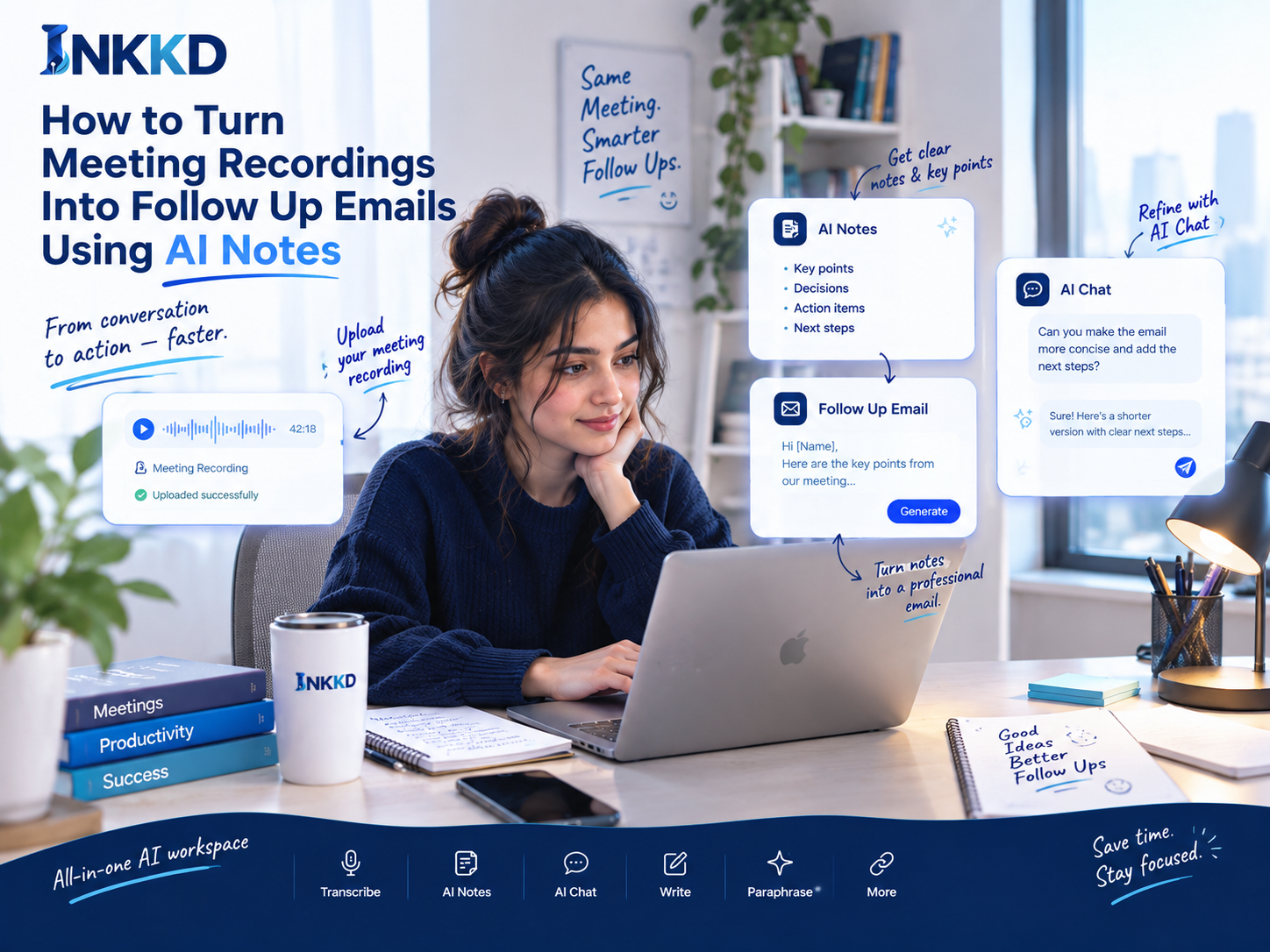
How to Turn Meeting Recordings Into Follow Up Emails Using AI Notes
Did you know that professionals spend nearly 70% of their work week trapped in discussions that often lack clear action items? This massive drain on time leaves many teams struggling to stay organized after the call ends.
How to Turn Meeting Recordings Into Follow-Up Emails Using AI Notes In Enterprises
Mastering the art of meeting notes conversion saves hours of manual administrative work. By leveraging Inkkd, you can transform long, complex discussions into structured data that drives your business forward. Explore INKKD Features.
Choose the Recording and Start AI Transcription
Begin by uploading your audio file directly into the Inkkd platform. Once uploaded, the system initiates AI transcription to process the audio into text. This automated process ensures that no spoken detail is lost during the transition from voice to document and this is How to Turn Meeting Recordings Into Follow Up Emails Using AI Notes In Enterprises is done.
Turn the Conversation Into a Searchable Meeting Transcript
After the processing is complete, you gain access to a fully searchable meeting transcript. This allows you to locate specific topics or phrases within seconds. Having a searchable record is essential for creating accurate meeting transcript emails later on.
Extract Key Points and Important Context
AI tools excel at summarizing lengthy dialogues into digestible insights. By using AI notes conversion, you can quickly identify the core themes discussed during the session. This context provides the foundation for your automated follow-up strategy.
"The goal of technology is not to replace human connection, but to amplify our ability to act on the promises we make to one another."
Separate Action Items From General Conversation
Not every sentence in a meeting requires a task. You must filter the transcript to isolate actionable items from general brainstorming. This separation is the secret to effective meeting notes conversion.
Confirm Names, Deadlines, Owners, and Agreed Next Steps
Before finalizing your notes, verify the accuracy of key details. Check that names, deadlines, and project owners are correctly attributed. This verification step prevents errors in your automated follow-up communications.
Resolve Unclear or Missing Details in the Transcript
Even the best AI transcription can occasionally misinterpret technical jargon or accents. Always review the text to resolve any unclear segments. Ensuring the quality of your meeting transcript emails builds trust with your stakeholders.
This is how to turn meeting recordings into follow-up emails using AI notes in enterprises.
Turn Organised AI Notes Into a Clear Follow-Up Email
Streamlining your post-meeting workflow begins with converting AI notes into clear, professional emails. By leveraging Inkkd, you can transform raw transcripts into polished messages that keep your team aligned.
Write a Brief Meeting Recap
Start your email with a concise meeting recap. This summary should highlight the main purpose of the discussion without rehashing every single word spoken.
List Action Items With Owners and Timeframes
Clarity is essential for automated follow-ups. Use a structured list to assign tasks to specific owners and include clear deadlines for each item.
-
Task: Finalize project budget
Owner: Sarah
Due: Friday -
Task: Update client portal
Owner: Mark
Due: Wednesday
Include Important Questions That Still Need Answers
Identify any unresolved questions from the meeting and include them in the follow-up email. This ensures that important issues are not overlooked.
Request Specific Details From the Meeting
If the AI misses a nuance, use AI Chat to request specific details. You can ask the tool to extract technical specifications or project milestones directly from the transcript.
Adjust the Tone for Clients, Colleagues, or Project Teams
The tone of your message matters. You can easily adjust the language to be formal for clients or casual for internal project teams using grammar tools for email follow-ups.
Remove Repetition and Unnecessary Conversation
Effective automated email generation requires editing out filler words and small talk. Focus on the core decisions to ensure the recipient understands the value immediately.
Use Clear Paragraphs, Bullets, and a Direct Subject Line
A meeting recap is only useful if it is readable. Use a direct subject line, short paragraphs, and bullet points to make the information scannable.
End With a Specific Request or Confirmed Next Step
Always conclude with a clear call to action. Whether it is a request for approval or a confirmed meeting time, email automation should always drive the project forward.