Best AI Call Transcription Tool for Sales Teams in 2026 — INKKD
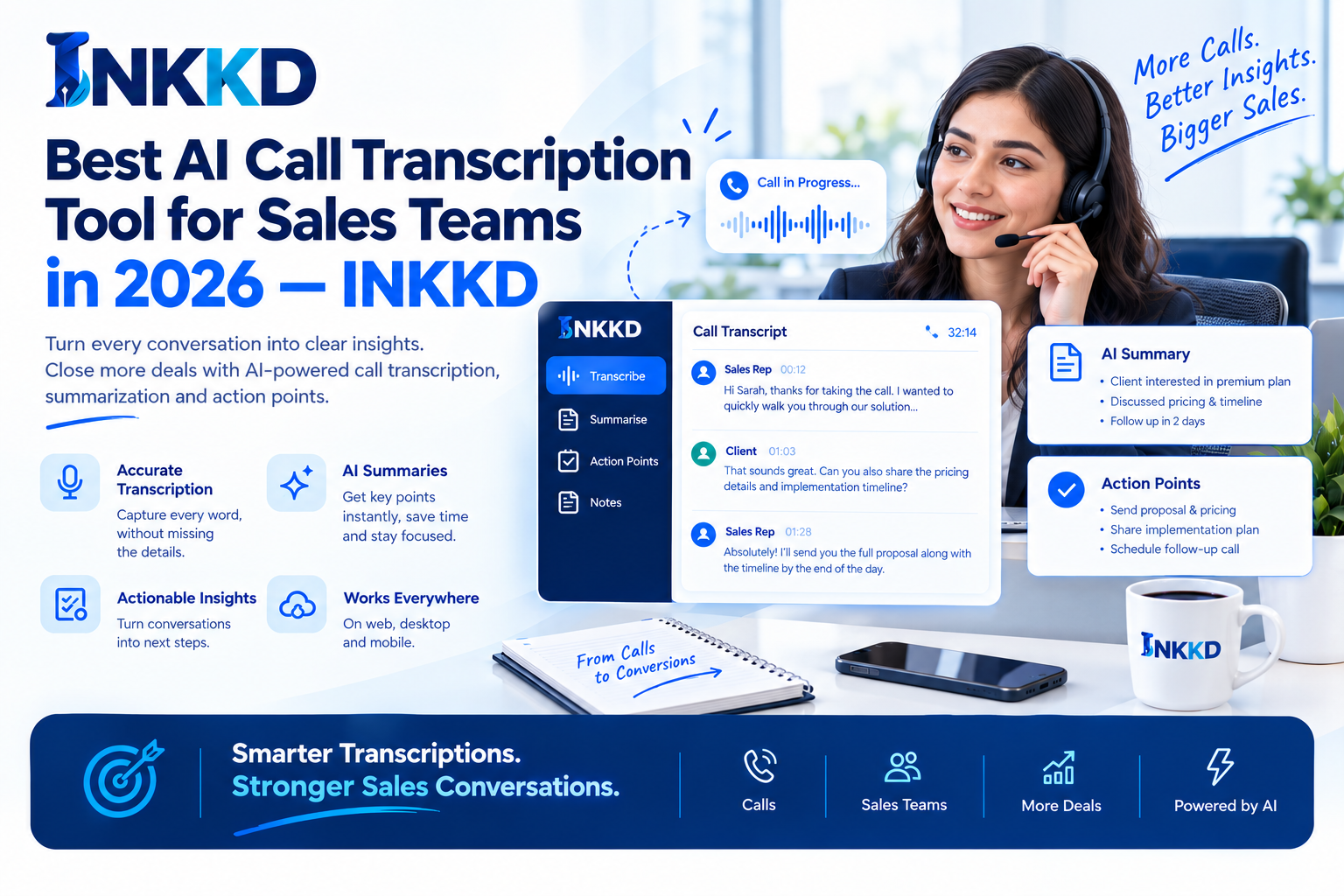
INKKD brings call transcription, AI Notes, AI Chat, and writing into one workspace.
Best AI Call Transcription Tool for Sales Teams in 2026 — INKKD
Sales calls contain the details that move deals forward: customer needs, objections, product requirements, risks, and agreed next steps. Yet those details are easy to lose when a seller is focused on listening, asking questions, and keeping the conversation moving.
| Primary Purpose | |
|---|---|
| Convert speech into text | |
| Support meeting capture and summaries | |
| Analyse calls, deals, and team activity | |
| Connect transcription, notes, chat, and writing |
INKKD brings call transcription, AI Notes, AI Chat, and writing into one workspace. It helps sales teams turn a recording into searchable information and practical sales work, while keeping a human review step before any AI-generated content is used.
See the Complete Call-to-Follow-Up Workflow
Explore how INKKD keeps transcription, AI Notes, AI Chat, and writing together for practical sales work.
Transcription Is the Starting Layer
Real-time transcription can help when a team needs immediate visibility, but it is not the only measure of value. Some teams need a reliable upload workflow for recorded calls. Others need to search old conversations, check a customer statement, or prepare a follow-up days after the meeting.
How INKKD Supports Sales Teams in One Workspace
INKKD is designed to bring recording transcription, AI Notes, AI Chat, and writing into one workspace. Instead of moving between a recorder, a transcript tool, a notes app, a chat assistant, and an email editor, a seller can keep the connected work in one place.
The value is less about producing text for its own sake. The value is making customer intelligence easier to find and easier to use. A seller can move from the original conversation to a concise summary, then to a draft message or a list of next steps.
Record or Upload a Sales Call
Sales teams can record or upload calls and convert the conversation into a searchable transcript. This supports different working styles. A team may need to process a recorded discovery call, review a demo, or capture a conversation held through another channel.
Important Review Reminder
“AI-generated transcripts, summaries, answers, emails, tasks, and sales notes should be reviewed before they are used for customer communication or sales decisions.”
Keep the Source and the Output Connected
The transcript remains the source for later questions and notes. This is important because a summary can remove detail. When the original conversation is searchable, the seller can return to the exact statement behind a conclusion.
Use AI as an Assistant, Not as an Unchecked Decision-Maker
AI Notes, AI Chat, and writing features can support speed and organisation. They should not remove professional judgement. Review AI-generated content before sending a customer email, updating a sales record, changing a deal stage, or making a revenue decision.
Keep the Conversation and the Sales Work Together
Use INKKD to move from a call transcript to notes, questions, follow-up writing, and next steps in one workspace.
The INKKD Workflow: From Recording Transcription to Next Steps
A clear workflow helps sales teams judge whether a transcription tool will fit daily work. INKKD is best understood as a connected sequence rather than a single transcription feature.
- Record or upload the sales call.
- Review the searchable transcript.
- Use AI Notes to identify the main points.
- Ask AI Chat focused questions about the conversation.
- Draft sales writing from approved insights.
- Review the output and confirm the next steps.